
Help Hotel RMS
A price for every date and every room type. And the reasoning, always in sight.
The big systems give you a number and ask for faith. This one gives you the number and shows where it comes from: what happened last year, how the booking pace is running, what the market is doing and which season you are in.
What it actually looks like
Real screenshots of the system running at a client property. Anything that would identify them, or let you reconstruct their revenue, is blurred.
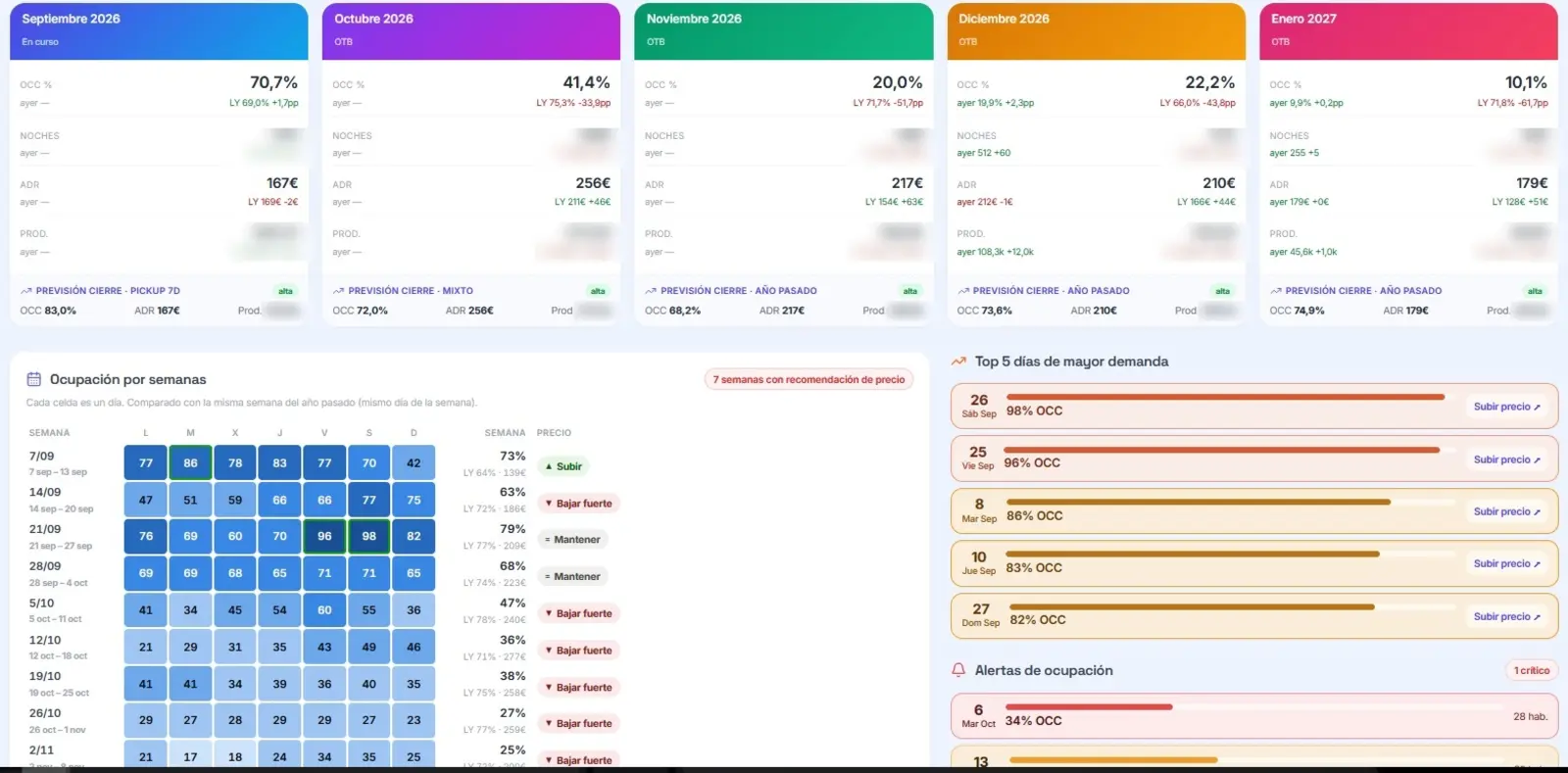
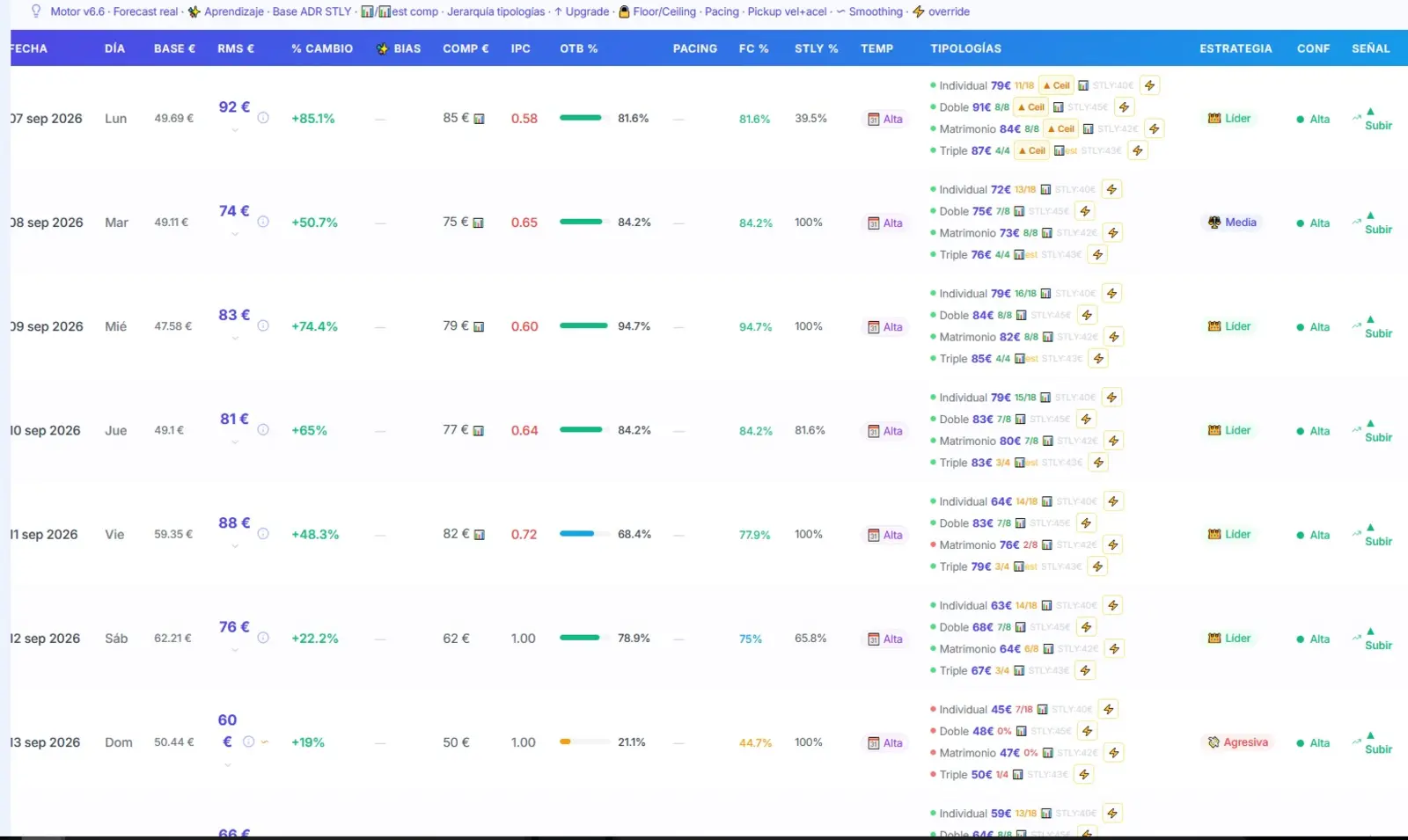
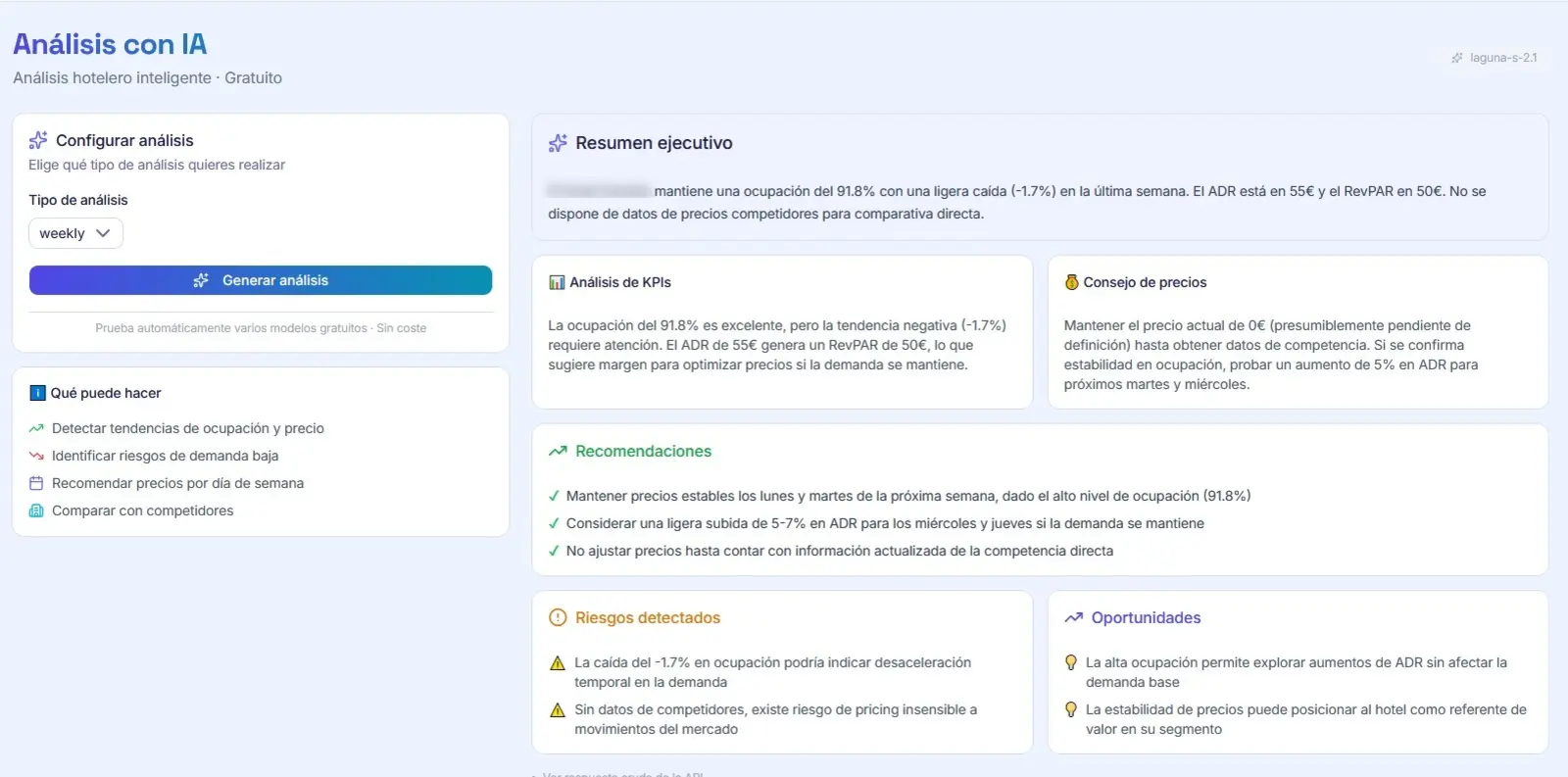
The six layers behind every price
The engine is not chasing a textbook optimum. It is looking for the price that fits your history, your pace and your market — and it tells you which of those weighed most.
STLY history
The ADR you achieved in the same period last year, by room type and by month. That is the starting anchor.
Booking pace
Real pickup at 1, 5 and 10 days, read from your own OTB snapshots. Ahead of pace, the price rises; behind, it corrects.
Competitors
The market median for that date, fed by Rate Shopper. Including the pressure signal when competitors start selling out.
Season
Five levels with multipliers, built by percentile clustering on your own data. Not a calendar copied from another hotel.
Day of week
A Tuesday and a Saturday are not the same sale. The engine learns your weekly pattern once it has a month of snapshots.
Holidays and events
A holiday and special-date calendar you manage by hand, because local events never show up in an API.
And on top of that, judgement
Automatic strategy
The system scores each date from -100 to +100 and picks between an aggressive, neutral or defensive stance on its own. You can force it whenever you want.
The way you sell
Three questions up front tune the engine's bias to your owner profile. That bias weighs less and less as real data accumulates.
It learns from your decisions
Every recommendation you accept or override is logged with its outcome. The system measures how often it was right and adjusts the model with that evidence.
Per-room-type override
If you know something the system does not, you fix the base for a room type and the engine works from it without arguing.
What is inside
Dashboard
Occupancy, ADR and RevPAR for the coming months, compared against last year, with one-click daily import.
Recommendations
The day's price by room type, with the six-layer breakdown and a button to accept or correct it.
Forecast
Month-end projection blending history with the real booking velocity of each date.
Pickup
Daily snapshots of future occupancy. This is the foundation of everything else: no snapshots, no pace.
Calendar
Monthly calendar view with holidays and management notes.
Seasons
Five levels with their multipliers, generated from your data and editable.
Simulator
A price-occupancy elasticity curve built from your real history, so you can answer "what if I add €10?" before you do.
Segmentation
Breakdown by segment and channel, filterable across past, future or all.
Apartments
Portfolio management for operators with dozens of units, not just rooms.
Decisions
The log of what was recommended, what was done and how it ended. Your revenue memory.
AI analysis
A plain-language read of what is happening this month, with your property's context loaded in.
Daily report
An automatic morning email with what has changed since yesterday.
How your data gets in
No integration project. Just the files your system already exports.
Mr. Plan
Production report importer, with room-type mapping to your own naming.
Smoobu
Booking list importer that expands each reservation night by night automatically.
Excel / CSV
History and future availability import, recognising both Spanish and English number formats.
Rate Shopper
Direct sync: competitor prices reach the engine without copying anything by hand.
Frequently asked questions
How much data do I need to start?
With one year of history the engine starts with real judgement. It also works without history, leaning more on market and season, but it needs about a month of daily snapshots to learn your weekly pattern.
Does it change prices for me?
Not unless you decide so. The system recommends; you accept, correct or ignore. That decision is logged, and it is what makes the model improve.
Does it work for holiday apartments?
Yes. There is a dedicated mode for apartment portfolios, using area market logic instead of a direct competitive set.
What if my PMS is not on the list?
If it exports to Excel or CSV, it fits. Send us a sample file and we will tell you the same day.
Shall we talk about your property?
Twenty minutes on a video call, no sales deck. We tell you what we would do with your case and whether it makes sense to work together.